
EduEz · by SnapByte
AI that makes education easy
EduEz takes the busywork off teachers' plates: question papers in minutes, and maths pages scanned straight into editable Word.
Smart Educators 2.0 means the teacher keeps the judgement and the AI does the drafting.
A good teacher's week is full of work that has nothing to do with teaching, like setting papers, formatting them and making another version for the next section. It all matters, and it all eats into the time that should go to students.
EduEz hands that work to AI. The teacher still decides what goes into a paper and how hard it should be, and still checks the result. EduEz just does the slow part, so the evening that used to disappear into a question paper goes back to the teacher.
Set it up the way you already set papers
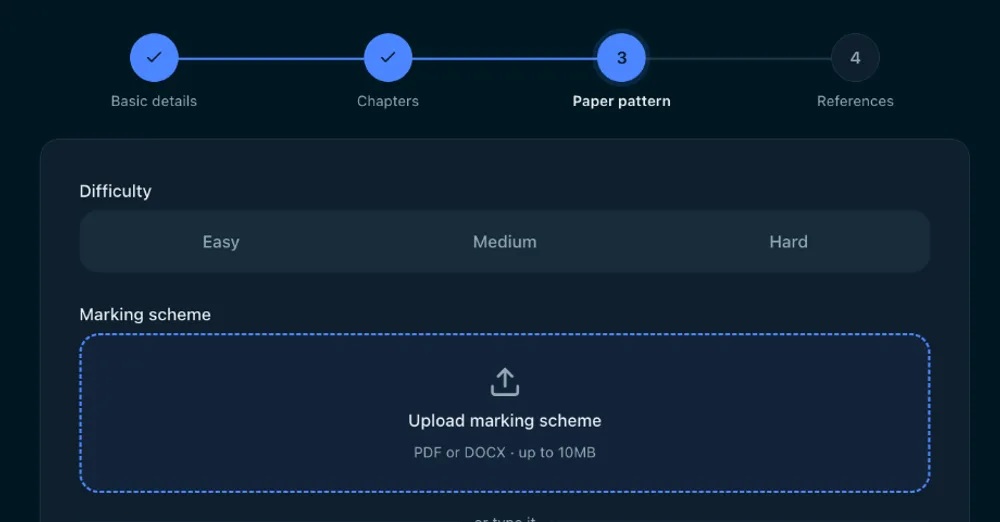
You start by choosing the board, class, subject and chapters, then the difficulty. For the marking scheme, you can upload the one you use or just type it the way you'd say it, something like "2 marks ke 4 questions, 5 marks ke 2", and EduEz works out the sections and totals for you.
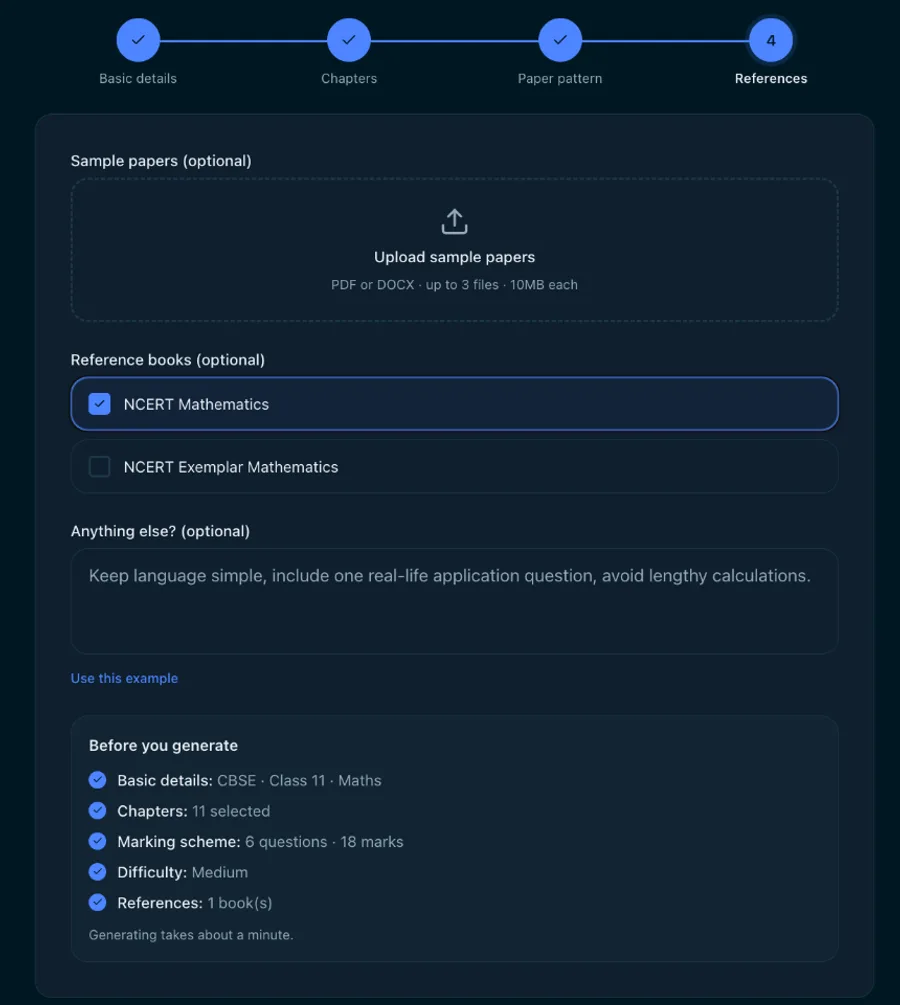
If you have sample papers or reference books you like, add them and EduEz follows their style. There's also room for any extra instructions, such as keeping the language simple or adding a real-life application question.
Then review it, change it, and take it to class
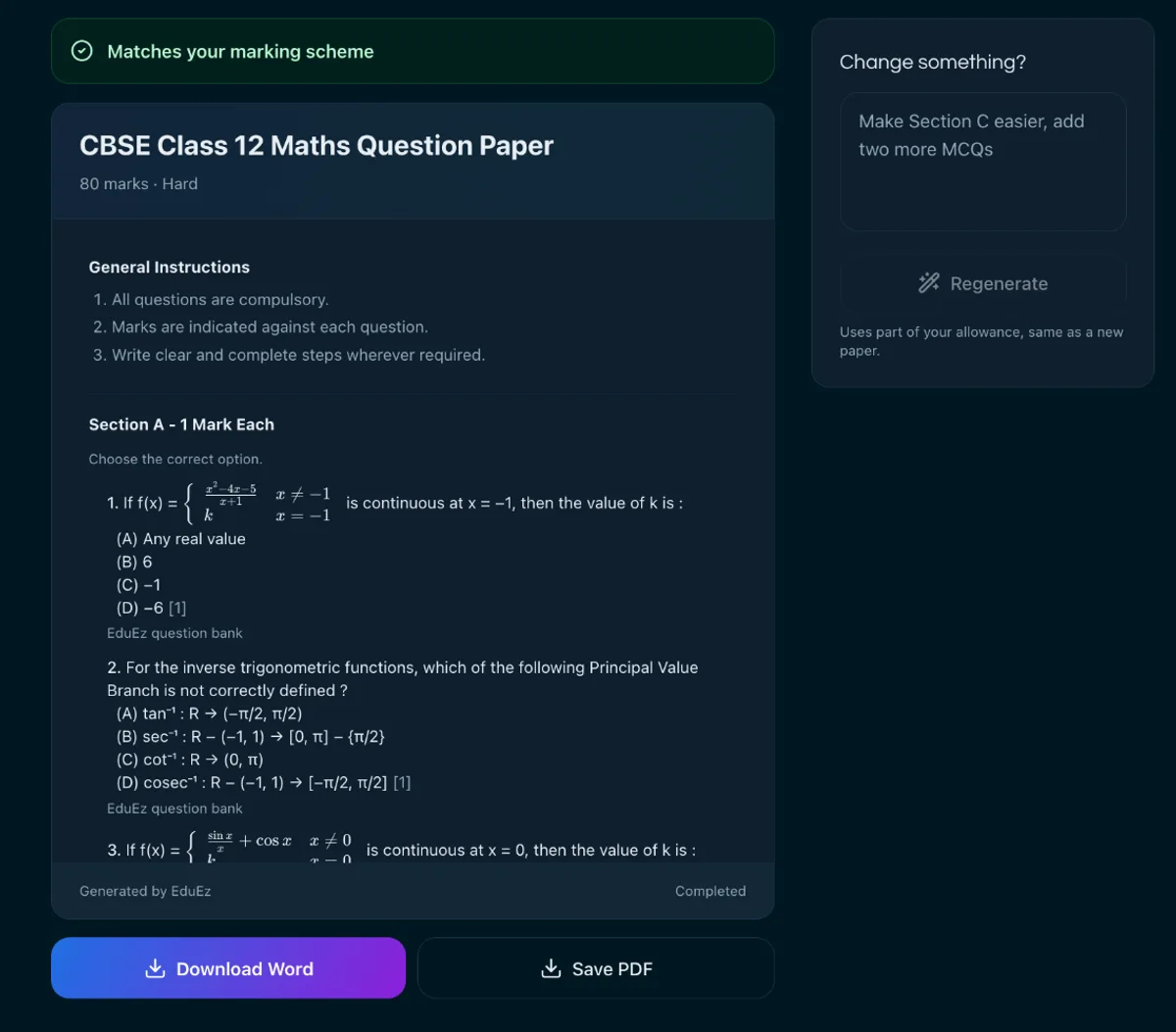
EduEz writes the paper and checks it against your marking scheme. If something isn't quite right, tell it in plain words, for example "make Section C easier and add two more MCQs", and it revises the paper for you.
When you're happy, download it as a Word file you can edit further, or save it as a PDF. Every paper you make stays in your library, so you can come back to it later.
Smart Scan · maths scan to Word
Turn printed maths into an editable Word file
Retyping a page of maths is slow, and getting every fraction, power and integral right in Word is slower. With Smart Scan you upload a PDF or simply take photos of the pages on your phone, and EduEz reads them, equations included.
You check the result in an editor where every formula is its own tappable chip. Tap one to fix it in a visual equation editor, so you can type maths equations without learning any special code. When it looks right, download a Word file where the equations are real, editable Word equations, not pictures.
Fix any formula in the visual equation editor, then download a Word file with real, editable equations.
Pricing
Pay as you go, from just ₹2*
No subscription and no monthly fee. Add credit once and use it whenever you need. All prices include GST.
Request a demo- New question paper: from ₹10, priced by length
- Changes to a paper: from ₹4
- Smart Scan (printed or handwritten maths to Word): ₹1 per scan + about ₹1 per page
- Editing questions and Word/PDF downloads: free
- New accounts: ₹40 free credit to try it out
You only pay for what works. If a paper fails to generate or a page can't be read, it costs nothing.
*Smart Scan of a single page.
For teachers, and for schools
EduEz is built around the individual teacher who sets their own papers. Schools and coaching centres that want it for their whole staff can talk to us about it in a demo.
Coming next
EduEz for schools and coaching centres
We're preparing the B2B release of EduEz, built for whole institutions rather than one teacher at a time. If your school or coaching centre wants to be among the first to use it, request an EduEz demo below and tell us about your team.
Request a demo
See EduEz set a paper for your class
Tell us a little about yourself and what you teach. We'll set up a short call and show you EduEz in action.